
These are instructions for Outlook, if you are using Apple Mac Calendar click here.
Outlook Mac
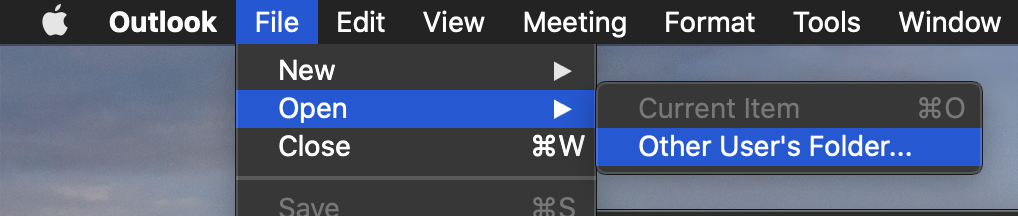
- In Outlook, click File > Open > Other User's Folder Calendar button (bottom left corner) to bring you to the calendar view
- Under Folder Type select Calendar
- Enter the name of the person and then select them from the list
- Press Open
iOS & Outlook Web
- Go to this link using your Mac web browser: https://outlook.office.com/calendar/addcalendar
- Click Add from directory
- Enter the name of the person and then select them from the list
- Press Add
Comments
0 comments
Please sign in to leave a comment.