
We recommend using Outlook for Mac instead.
To add other people's calendars on the Mac, you will need to:
- Open Calendar app
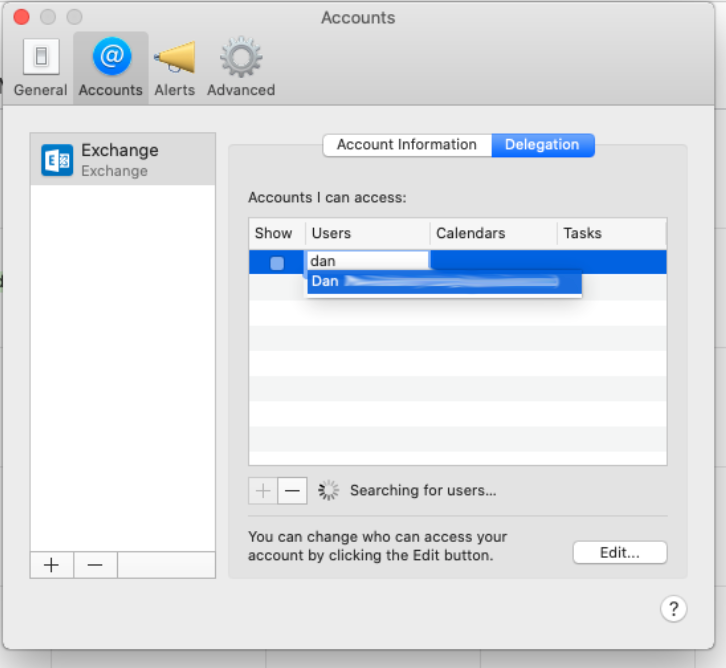
- Open Calendar > Preferences > Accounts
- Select the Exchange Account
- Select Delegation
- Click the + (plus) button
- Start entering the name of the calendar owner to search for the user/owner of the calendar and select them from the list that pops up
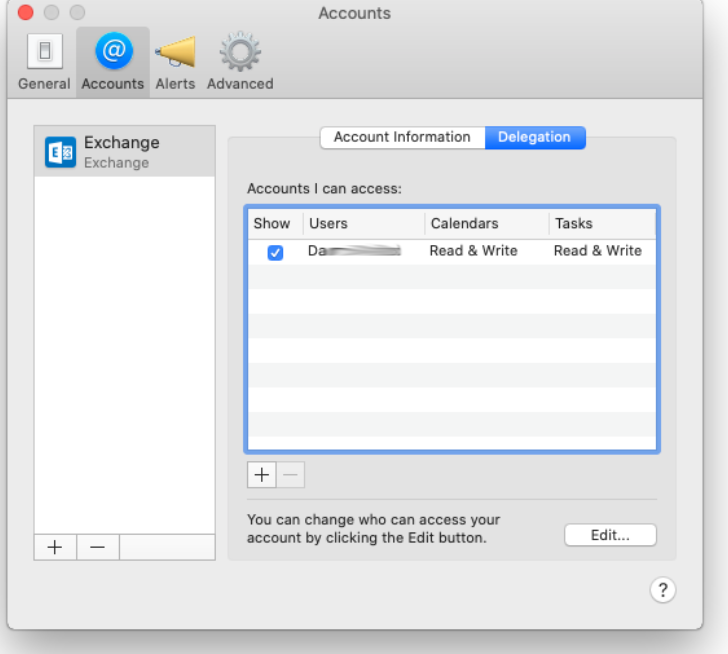
- Allow a few seconds for a refresh
- Tick the Show button to add the calendar to your main view
Let us know if you can’t see or don’t have the correct permission to something
Comments
0 comments
Please sign in to leave a comment.