
There is a known bug with updates in Big Sur (macOS 11) – they either don’t show up or fail to install for some people.
Apple released an important security update (and a bunch of bug fixes) in v11.2.1. It is important that you install this update.
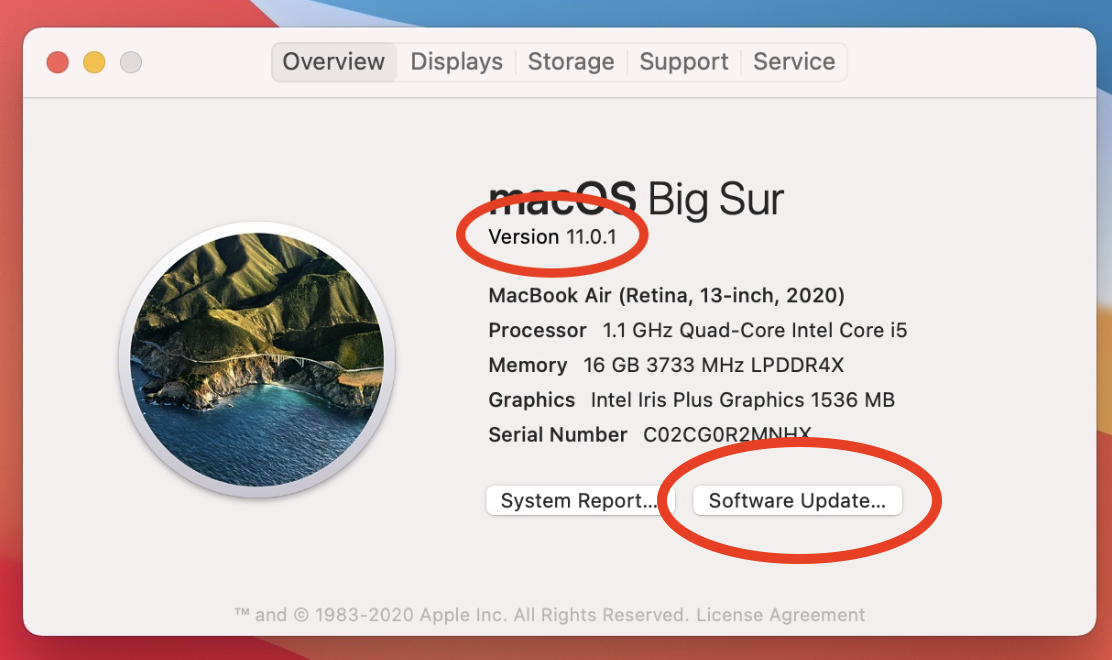
- Click the Apple menu (top left) > About this Mac and check your version of Big Sur
- You should be on version 11.2.1 or later. If you are, then you can ignore the rest of this page. If you are on version 11.0, 11.0.1, 11.1 or 11.2 you need to update.
- Click Software Update
- If you see an update available, try to update
- If you don’t see an option to update, or if the update gets stuck, try to restart and see if it works.
- If the update fails again, use this link to download and install the update manually: https://apps.apple.com/gb/app/macos-big-sur/id1526878132?mt=12
The update can take around 30 minutes
Comments
0 comments
Please sign in to leave a comment.