
Office 365 lets you share calendars with other people. It offers various levels of privacy – from free/busy view to full read-write access.
Office 365 uses two sharing modes called Sharing and Publishing. Sharing is more secure and should be used in most cases. Publishing is simpler but less secure.
Sharing
Sharing is the best method but requires people have a Microsoft account (free or paid). If you share a calendar with someone that doesn't have a Microsoft account yet, they will be prompted to create a free one. Sharing can be used to allow people read-write or read-only access to your calendars.
Publishing
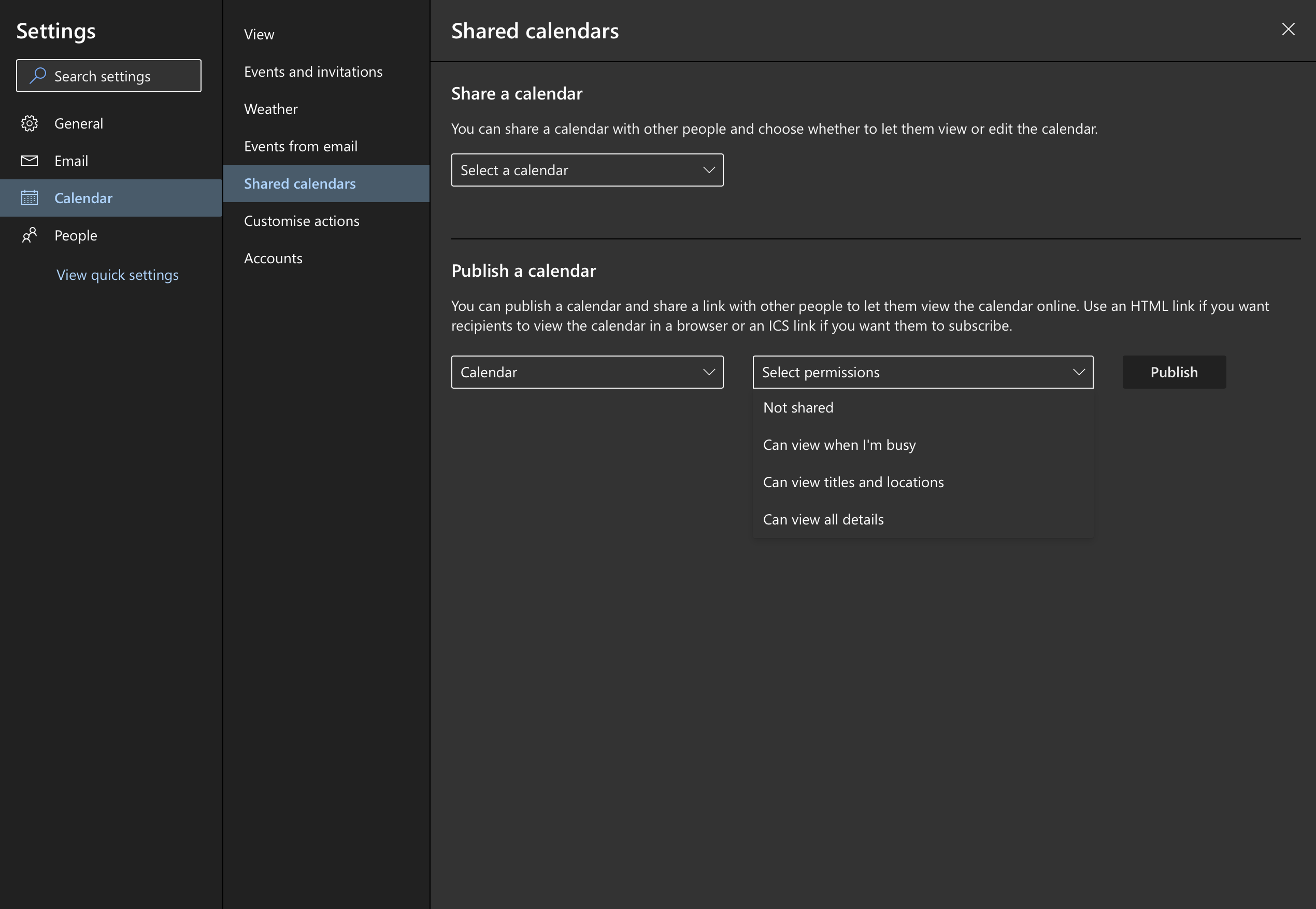
Publishing is less secure and is meant for external users when Sharing can't be used. It uses a complex link that anyone can use to view the calendar. This is similar to how Dropbox works - security through obscurity. Publishing is read-only. Use a secure method such as Telegram or WhatsApp to share this link.
Go to https://outlook.office.com/calendar/options/calendar/SharedCalendars/sharedCalendars to set your share options.
| Publishing | Sharing | |
|---|---|---|
| Secure | √ | ~ |
| Read-write | √ | – |
| Read-only | √ | √ |
| Free sign-up required | √ | – |
Comments
0 comments
Please sign in to leave a comment.