
iOS
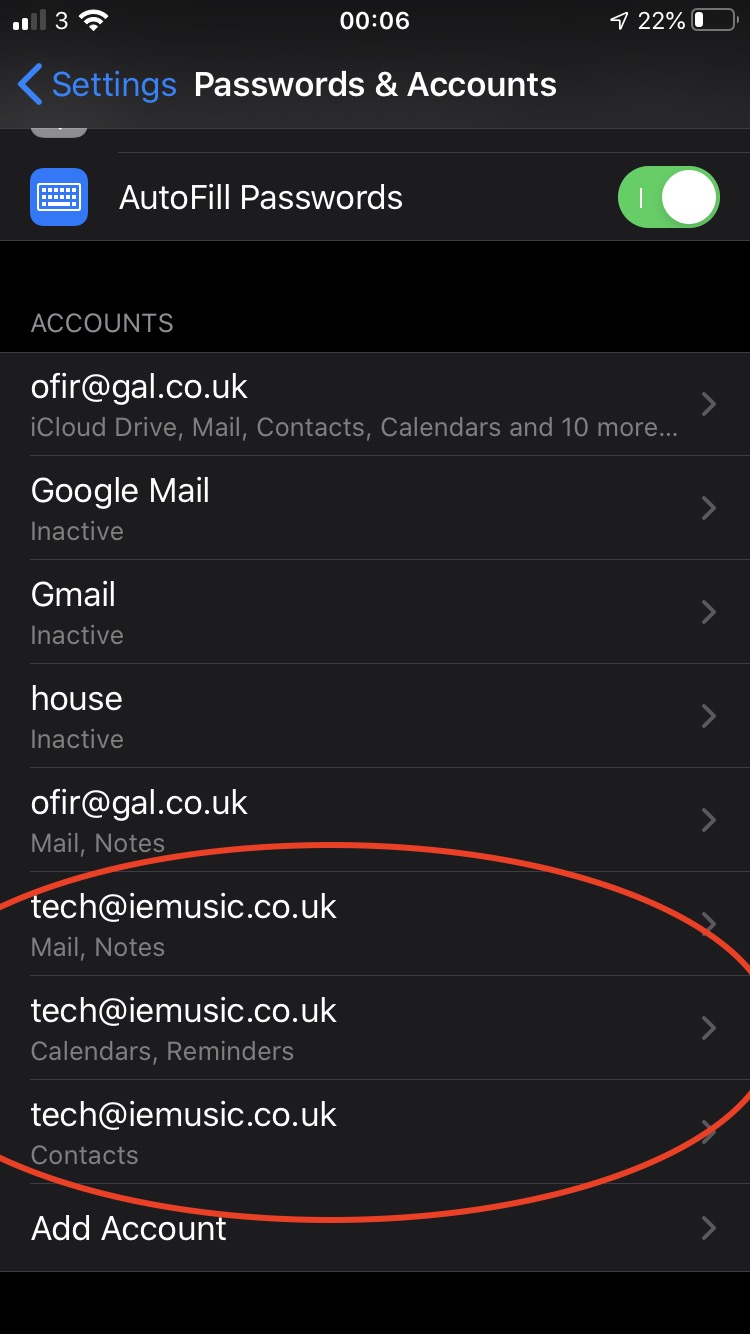
- Open Settings > Passwords & Accounts
- Locate your iemusic/iefiles accounts, there will typically be 3 of them
- Select the first iemusic/iefiles.co.uk account (Mail, Notes)
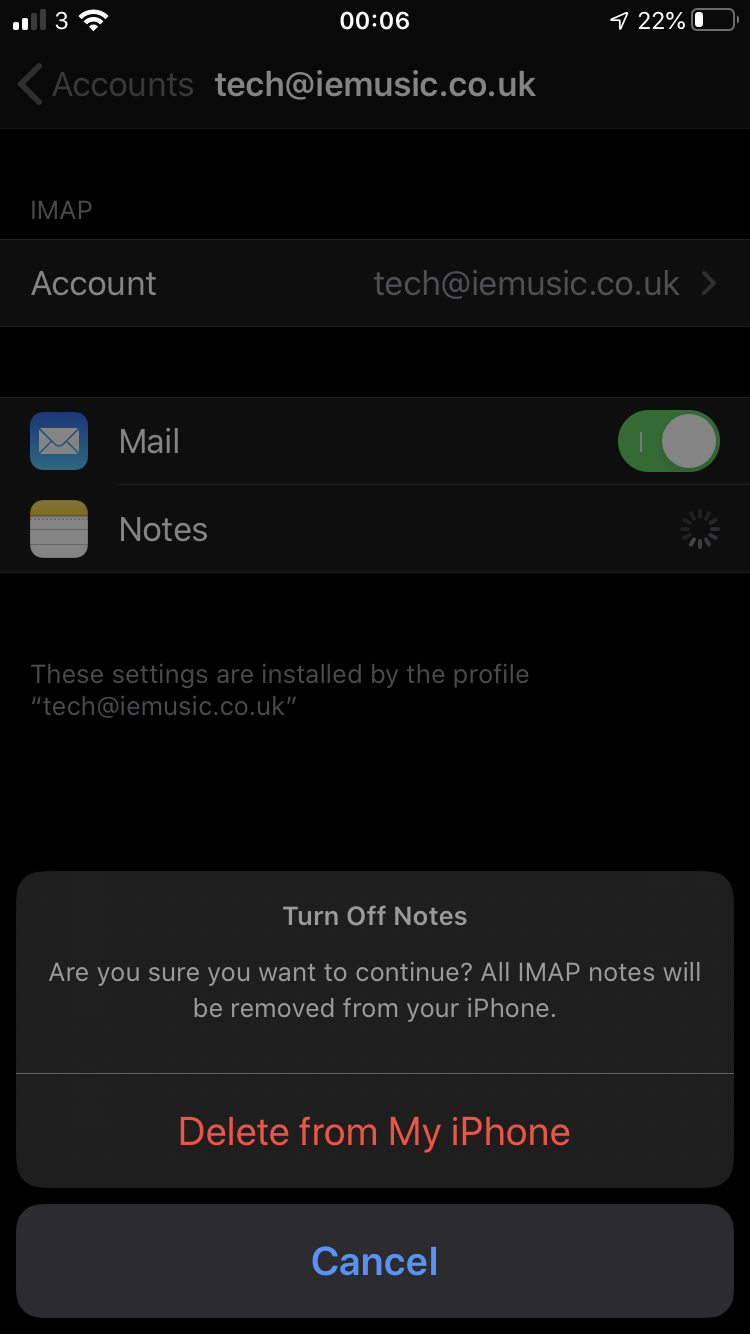
- Disable Mail and Notes
- You will be prompted to delete the notes, press delete, you can always turn it back on if needed
- Select the next account (Calendars, Reminders)
- Disable Calendars and Reminders, again deleting them from your iPhone
- Select the next iemusic account (Contacts)
- Disable Contacts
Your iemusic account has been disabled. If you got anything wrong, it's easy to re-enable.
Mac
- Quit Mail, Calendar, Reminders, Contacts and Notes
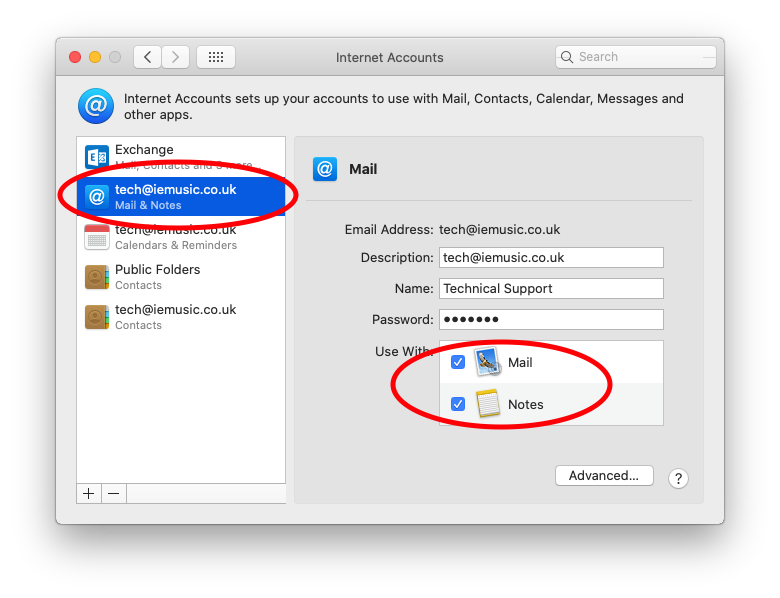
- Open System Preferences > Internet Accounts
- Locate your iemusic/iefiles accounts, there will typically be 3-4 of them
- Select the first iemusic.co.uk (or iefiles.co.uk) account on the left (Mail & Notes)
- Untick Mail and Notes to disable the account
- Select the next iemusic.co.uk account (Calendars & Reminders)
- Untick Calendars and Reminders
- Select the next iemusic account (Contacts)
- Disable the account
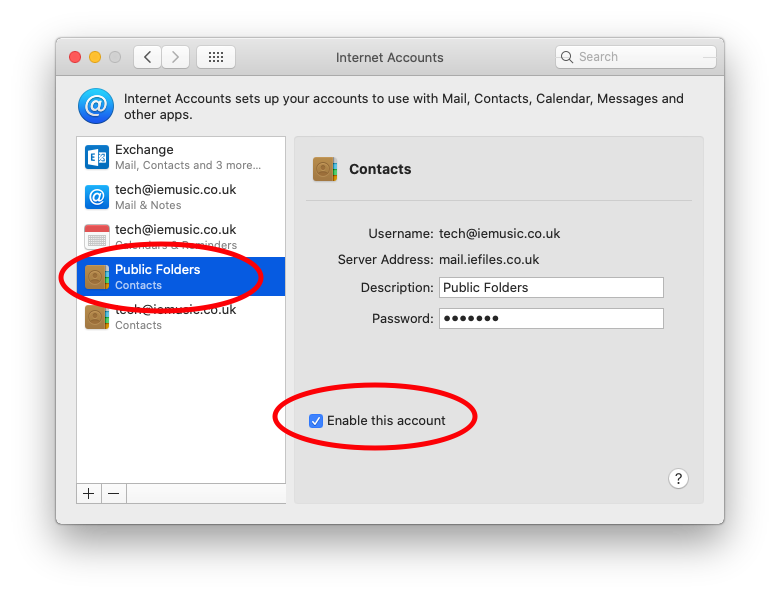
- Select Public Folders (Contacts)
- Disable the account
- If you see any other iemusic accounts here you - you should disable them too, let us know if you are not sure. If you make a mistake you can easily re-enable.
- Close System Preferences
Comments
0 comments
Please sign in to leave a comment.