
This is a last resort measure if your Mac is just refusing to work properly. It does not delete any of your data, it simply downloads and re-installs the macOS components without changing your settings or files.
- Intel Macs: Restart the Mac and immediately hold down cmd-R
Silicon M1 Macs: Restart by holding down the on/off switch for a few seconds and select Options) - You may need to connect it to wifi or ethernet!!!
- You should see the recovery screen (below)
- Select Reinstall macOS and press Continue
- This will take around 30 minutes.
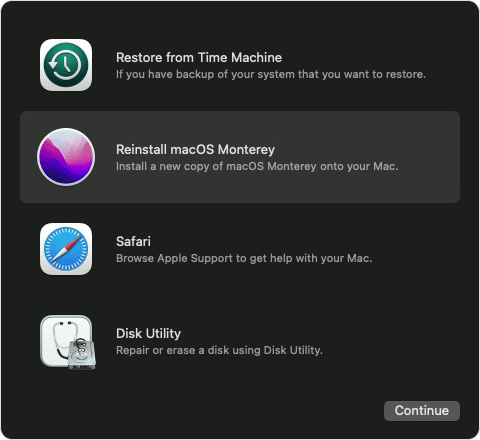
Big Sur and later versions of macOS
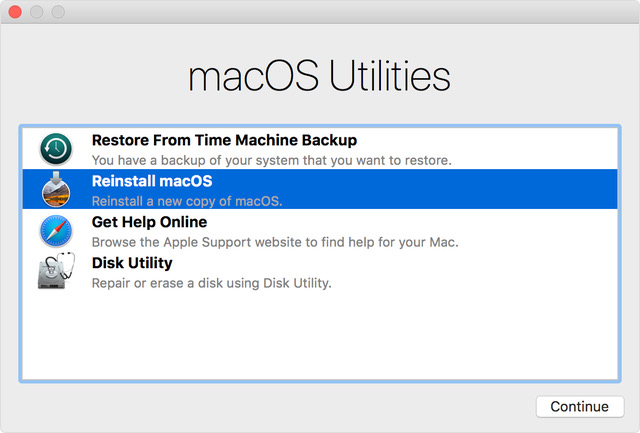
Catalina and earlier versions of macOS
Comments
0 comments
Please sign in to leave a comment.